ONE TERMINAL. MANY AGENTS.
Everything Hive does
Hive is an open-source terminal multiplexer built for AI coding agents. It runs Claude Code, Codex, Gemini CLI, OpenCode and two dozen more side by side in real terminals, tells you which one needs you, and keeps them running when you close the window.
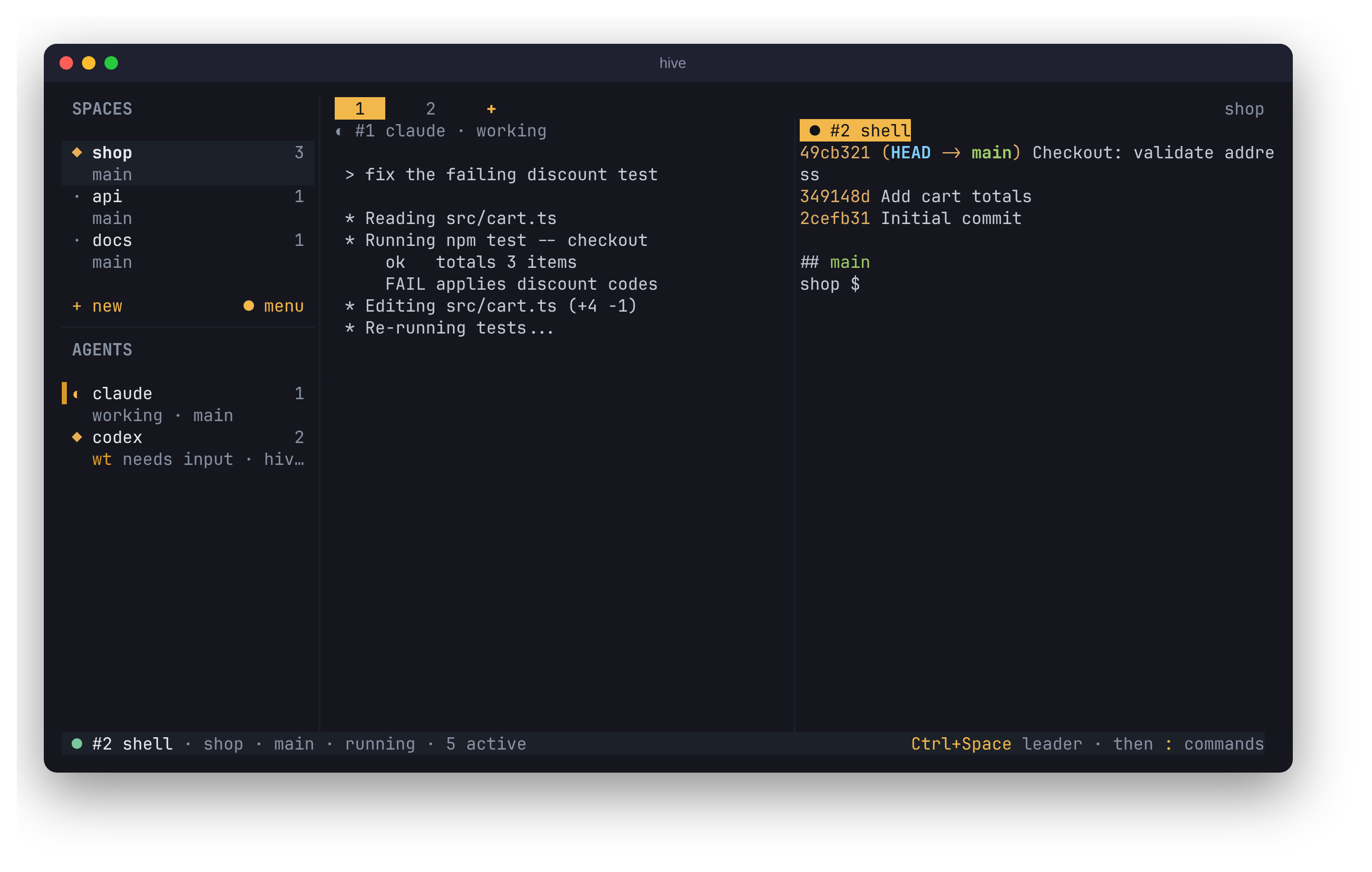
Live agent status
See which agent is working, which needs input and which is done, across every project.
Hive recognises the agent in each session, even one you started by typing claude in a plain terminal, and shows its state in the sidebar: working, needs input (a permission prompt or a question) or done. Done means it finished while you were looking elsewhere, and clears when you open it.
Status comes from per-agent screen rules shared with herdr. An agent without rules shows no status rather than a guess, and any script can report its own state with hive report-agent. The terminal bell rings when an agent you aren't viewing needs you.
Sessions that outlive the terminal
A local daemon owns every agent, so closing the window or detaching never stops one.
hive is only a client. The hived daemon owns each agent's process, its pseudo-terminal and its screen. Detach with Ctrl+Space d, close the window or lose the SSH connection, and the agents keep working. Run hive again and you are back on the same screens.
If the daemon itself restarts, the interface reconnects on its own. Sessions that were running when the daemon stopped unexpectedly come back marked lost, and enter relaunches one.
hive new claude -d -l api   # start in the background
hive list                   # every session
hive attach 3               # open session 3
hive                        # reopen the last view
Split panes, tabs and zoom
tmux-style splits and tabs, each pane its own terminal at its own size.
Split right with Ctrl+Space v or %, below with - or ", zoom a pane with z and move focus with o or a click. Each pane has a title row with its session and status. Tabs sit above the panes, are clickable and can be renamed.
Closing a pane or tab ends its sessions, so nothing keeps running out of sight; if that would stop a running agent, Hive asks first. Tabs you aren't looking at cost nothing, because Hive only mirrors what is on screen.
Ctrl+Space v   split right     Ctrl+Space t   new tab
Ctrl+Space -   split below     Ctrl+Space ]   next tab
Ctrl+Space z   zoom pane       Ctrl+Space X   close pane
Ctrl+Space o   next pane       Alt+← / Alt+→  switch tab
Spaces that follow your cd
Each repository gets its own tabs, and a terminal moves there when you cd into it.
Every repository or folder you work in is a space with its own set of tabs. cd into another repository and within a couple of seconds that terminal, and its tab, moves to that repository's space, created if needed.
Alt+↑ and Alt+↓ switch spaces without the leader key, even while you type to an agent. The AGENTS list under the spaces shows every agent in every space, numbered, so Alt+1 to Alt+9 jumps straight to one wherever it runs.
~/src/api $ cd ../web    # the tab moves to the web space

Alt+↑ / Alt+↓    previous / next space
Alt+← / Alt+→    previous / next tab
Alt+1 … Alt+9    jump to an agent
Ctrl+Space S     new space
One-key git worktrees
Give an agent its own checkout on a fresh branch so agents never edit the same files.
Ctrl+Space C opens a terminal in a new git worktree on a fresh branch; start any agent there. From the command line, hive new codex -w does the same, and -b names the branch. The sidebar marks worktree agents and warns with ! when two agents share a directory.
Hive is careful with your work: it never removes a worktree with uncommitted changes without --force and a confirmation, never removes one a session is still running in, and never deletes branches.
hive new codex -w             # branch hive/codex-<id>
hive new claude -b login-fix  # your own branch name
hive worktree list
hive worktree rm <path>
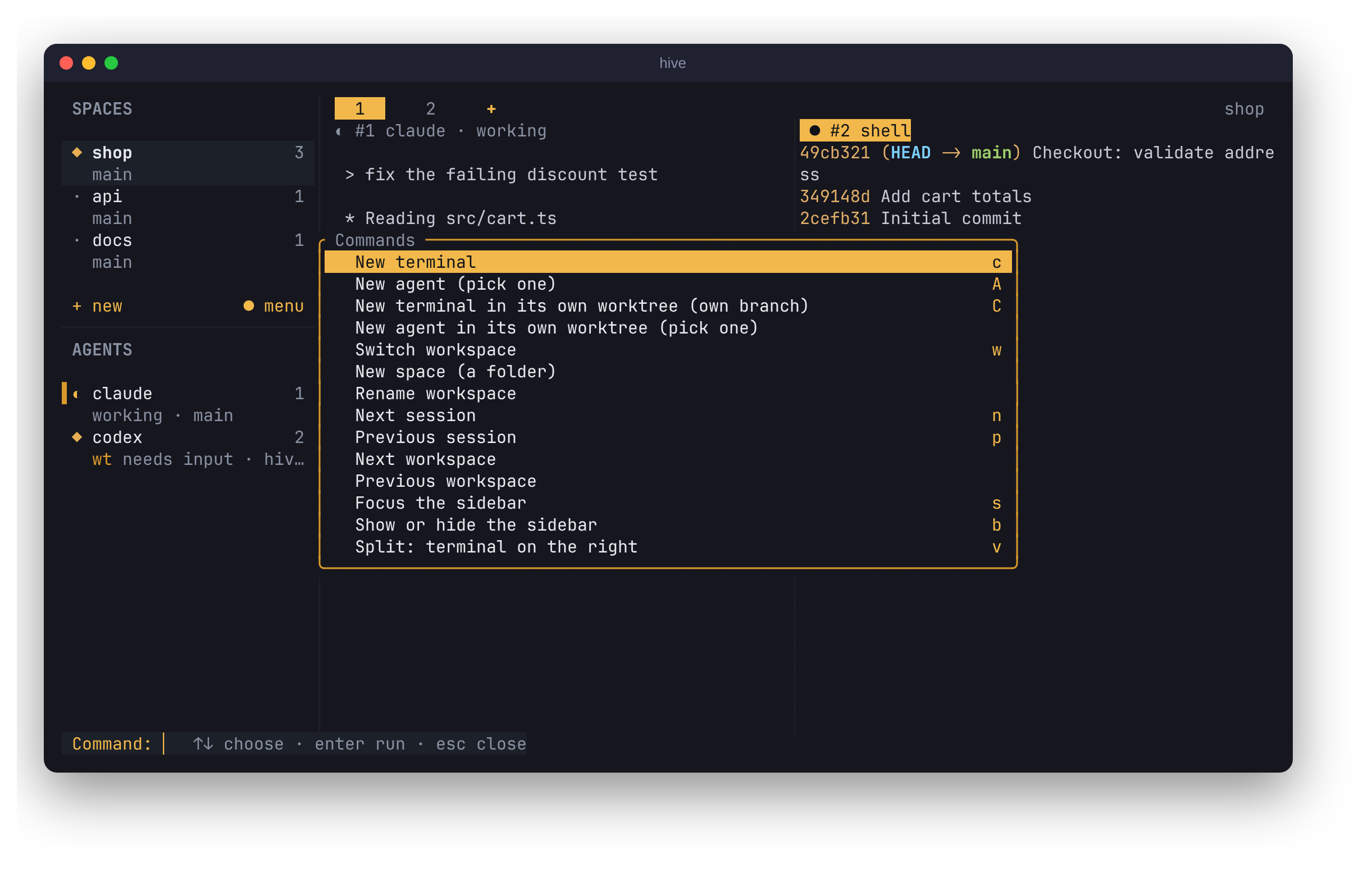
Command palette and search
Fuzzy-search every command, session and workspace from one prompt.
Ctrl+Space : opens a palette of every command, session and workspace; Ctrl+Space / searches sessions by name, agent, workspace or branch. The palette and the help screen are generated from your own key bindings, so they always match.
Mouse users get the same reach: click spaces, agents and tabs, and right-click any of them for open, rename, split, close or terminate.
A leader key you can rebind
Ctrl+Space by default; every action can be rebound or unbound in config.toml.
Everything you type goes to the agent except the leader key and the command after it. The defaults follow tmux and herdr, and Ctrl+Space twice sends a literal Ctrl+Space. A few Alt chords work without the leader; unbind them if an agent needs them.
Every key is configurable, and unbound commands stay in the palette. hive doctor checks the file before you open the interface.
# ~/.config/hive/config.toml
[keys]
leader = "ctrl+a"

[keys.bind]            # after the leader
new_session = "n"
kill_session = ""      # unbind

[keys.global]          # no leader
prev_workspace = []    # free Alt+Up for the agent
Watch from several windows
Open a session in two terminals: one types, the other watches.
The first window to open a session controls it; others watch, and the status bar says so. Ctrl+Space a takes control explicitly. The agent's terminal size always follows the controlling window, so a second, smaller window never squashes the first.
Themes that work in any terminal
Truecolor to 16 colours, NO_COLOR, plain ASCII, and no Nerd Fonts required.
Pick hive-dark, hive-light, ansi (your terminal's own 16 colours) or mono, and override single colours with hex values. Hive detects truecolor, 256 and 16 colours and honours NO_COLOR. On the Linux console or a non-UTF-8 locale it switches its own symbols to ASCII, and leaves the agent's output untouched.
[general]
theme = "hive-light"

[theme]
colors = "256"     # truecolor | 256 | 16 | none
glyphs = "ascii"   # unicode | ascii
accent = "#e0a526"
Any agent, configured in TOML
Add your own commands or override a built-in agent's arguments and environment.
Agents are data, not code. Add a command under [agents.<name>] and start it with hive new <name>. Hive runs it directly from its arguments, never through a shell, and never writes environment variables to disk. Agents run unmodified, with their own permission prompts; Hive never answers them for you.
[agents.aider]
command = "aider"
args = ["--dark-mode"]
env = { AIDER_AUTO_COMMITS = "false" }

[agents.claude]        # override a built-in
args = ["--model", "opus"]
Linux, macOS and Windows
Static binaries for five platforms, a one-line installer and hive update.
Hive ships prebuilt binaries for Linux (x86_64, ARM64), macOS (Apple silicon, Intel) and Windows 10+, all tested with real terminals in CI. It is one static Rust binary pair with no runtime to install. hive update upgrades in place, and hive doctor reports what Hive sees on your machine.
On Windows the daemon uses a named pipe and ConPTY. Agent status there comes from agents that report it with hive report-agent, and spaces don't yet follow cd.
Supported agents
Hive recognises 27 coding agent CLIs, 23 of them with built-in status rules.
Install and sign in to each agent as usual; hive agents lists the ones Hive found on your PATH. Agents marked without status still run and are named in the sidebar, and can report their state with hive report-agent. Anything else runs as a custom agent.
- Claude Code
- Codex
- Gemini CLI
- OpenCode
- GitHub Copilot
- Cursor Agent
- Amp
- Antigravity
- Cline
- Devin
- Droid
- Grok
- Hermes
- Kilo Code
- Kimi
- Kiro
- Letta
- Maki
- Muse
- Oh My Pi
- Pi
- Qoder
- Qwen Code
- Aider · no status rules
- Crush · no status rules
- Goose · no status rules
- Truss · no status rules
Integrations
Your tools beside your agents, each off until you enable it.
Each integration opens as an ordinary session that can be split, moved and closed like any other, and its key tells you how to turn it on.